
It starts in the cockpit and takes under two minutes
No app, no login. The placard lives in the panel, and the pilot’s phone does the rest.
 01
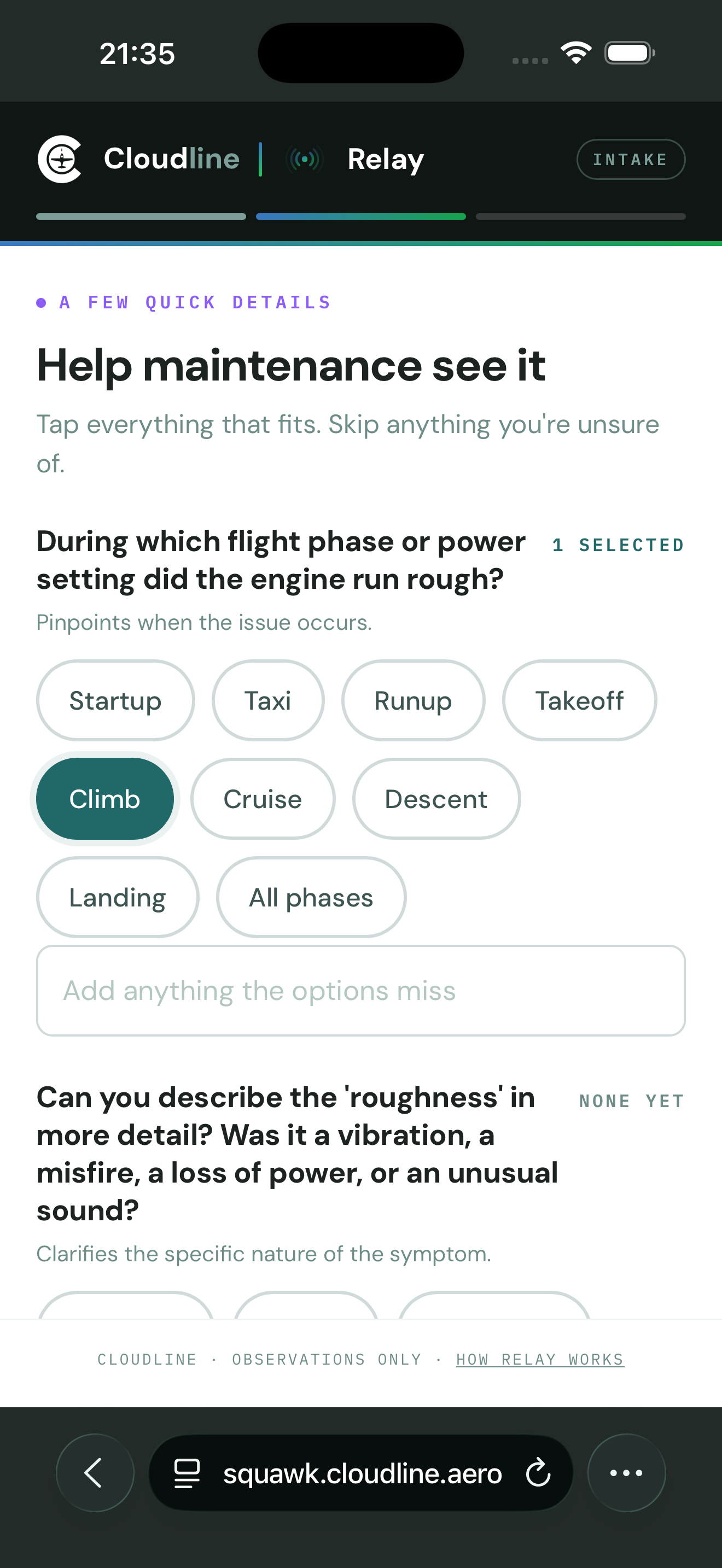
01Scan the QR placard
It lives in the panel. One scan opens intake for that exact tail on the pilot’s phone.
 02
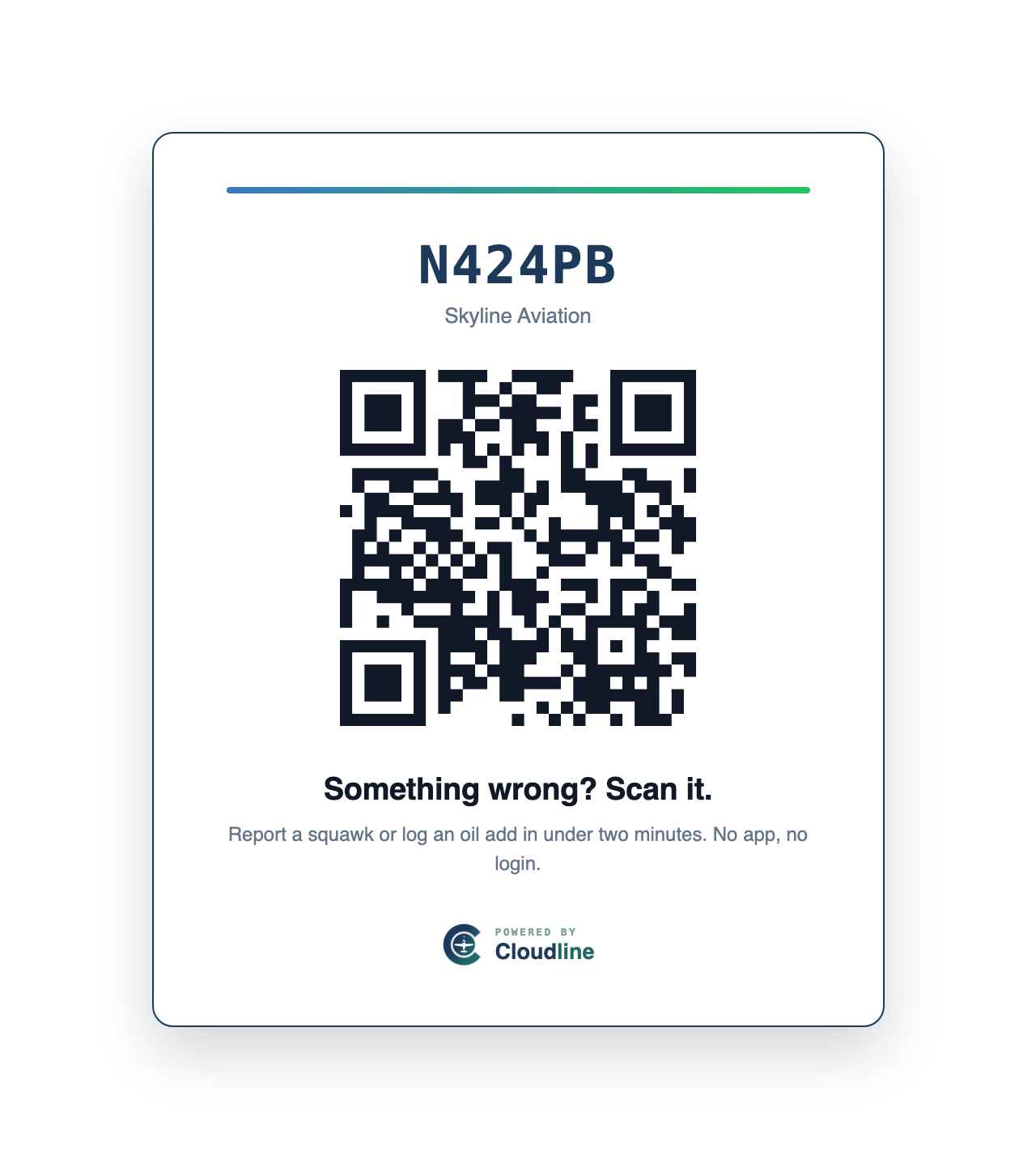
02Say it in plain words
The pilot writes a couple of sentences about the problem and adds a photo.
 03
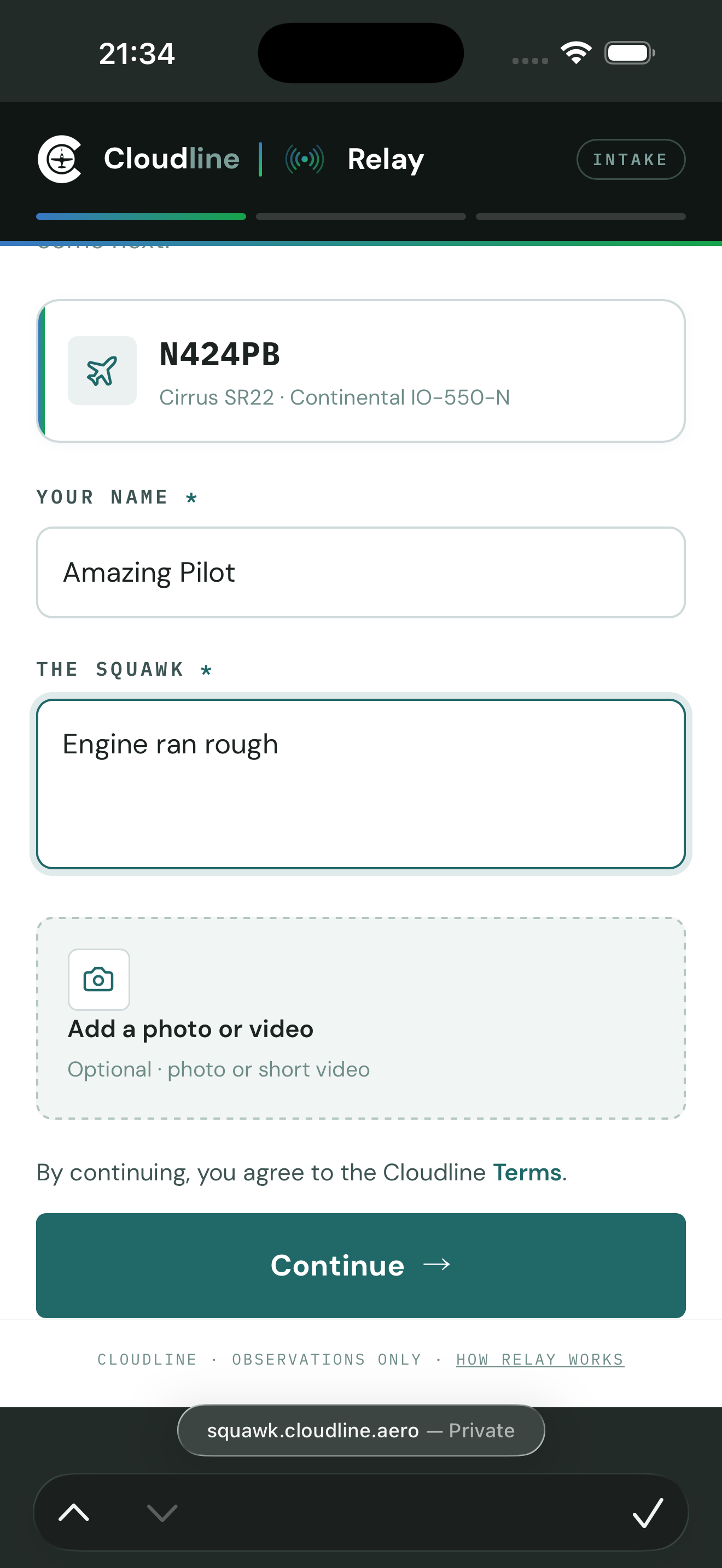
03Atlas asks the follow-ups
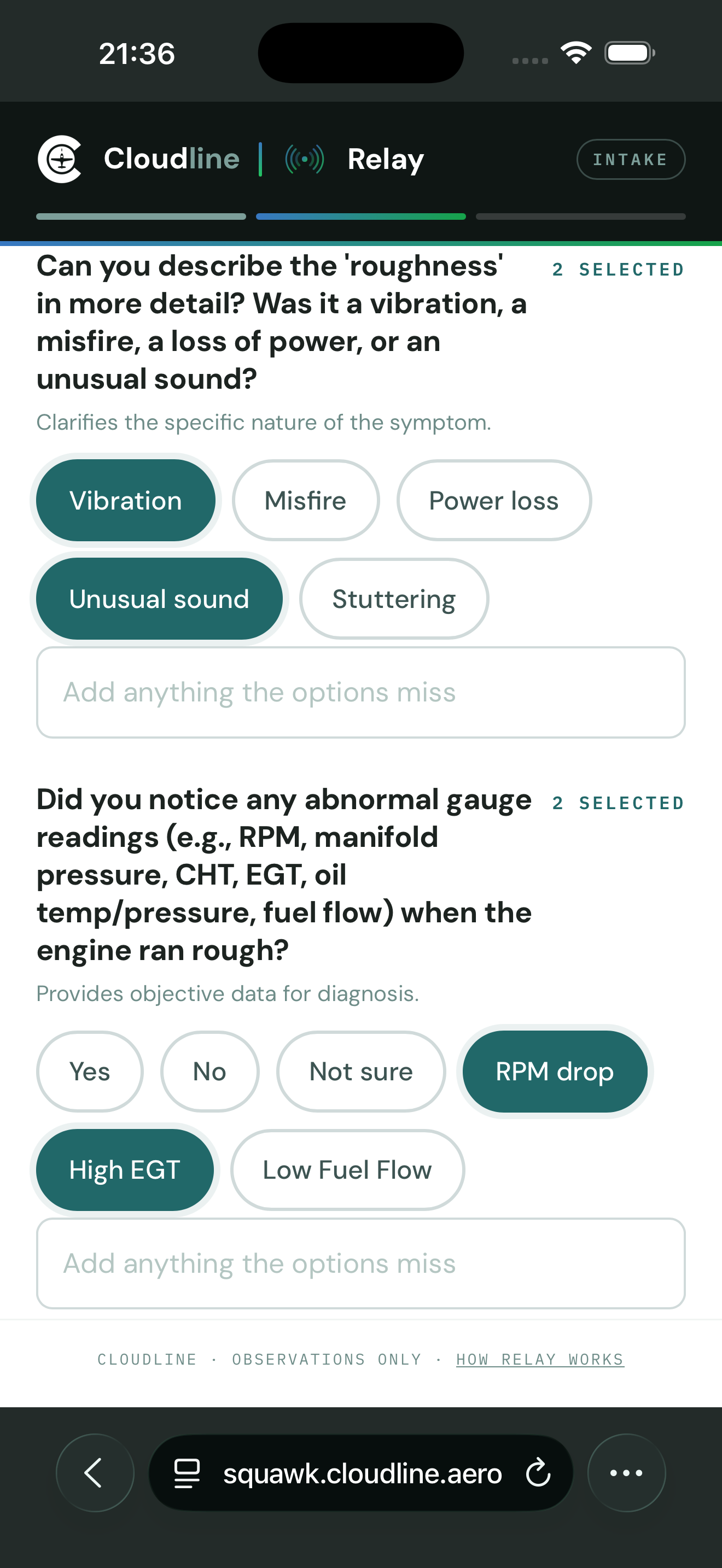
It walks the pilot through severity, phase of flight, and whether it’s happened before, while the details are fresh.
The squawk relays to the shop’s board as a structured card a mechanic can work from.
It arrives structured, on a board the shop and owner share
Squawks from every tail collect in one place where the shop can triage and the owner can follow along. Nothing gets lost between the cockpit and the hangar.
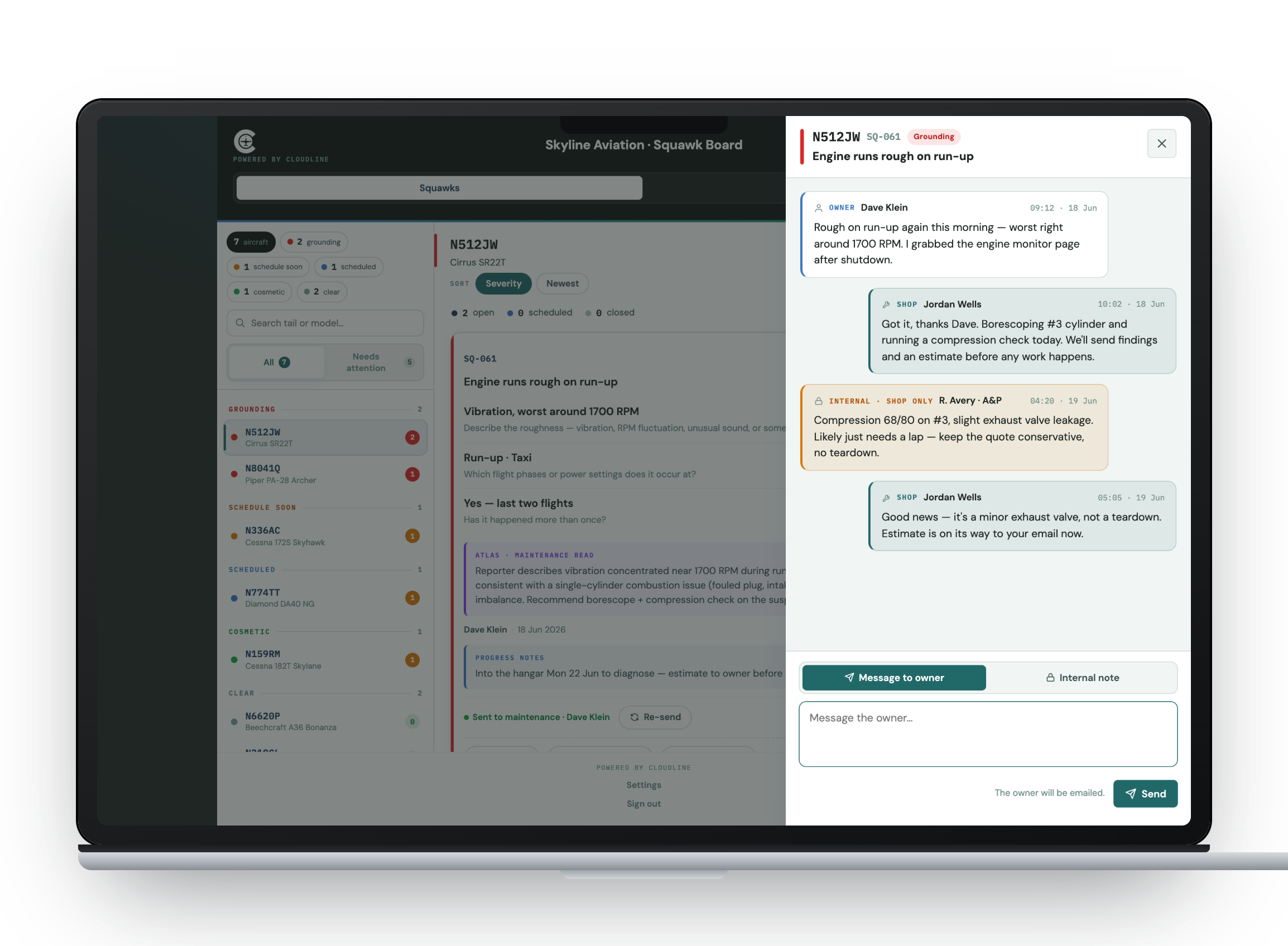
Everything stays attached
The pilot’s words, Atlas’s structure, and the shop’s reply all live on one squawk. Nothing ends up scattered across texts and voicemails.
One thread for shop and owner
Owner messages go to the owner, and internal shop notes stay out of the owner’s view.
The whole fleet on one board
Open, in-work, and closed squawks for every tail, sorted by status so nobody has to do inbox archaeology.
Atlas is Cloudline’s aviation AI. In Relay it asks the pilot follow-up questions and gives maintenance a structured read of the squawk. Learn about Atlas →
The same squawk, with and without Relay
“Engine sounds funny” on a sticky note kicks off a week of phone tag. With Relay, the shop has a structured squawk within minutes.
the rest of the week stays free
Skip the phone tag.
Set your fleet up on Relay in a few minutes. After that, pilots just scan and talk.
Free · no card required · no app to install
A private view for every customer you service
Sign up as a shop and each customer gets their own private view. The shop sees everything across every customer, while an owner sees just their own aircraft, with no view of anyone else’s or of your internal notes. That gives you one place to run intake for the whole book of business.
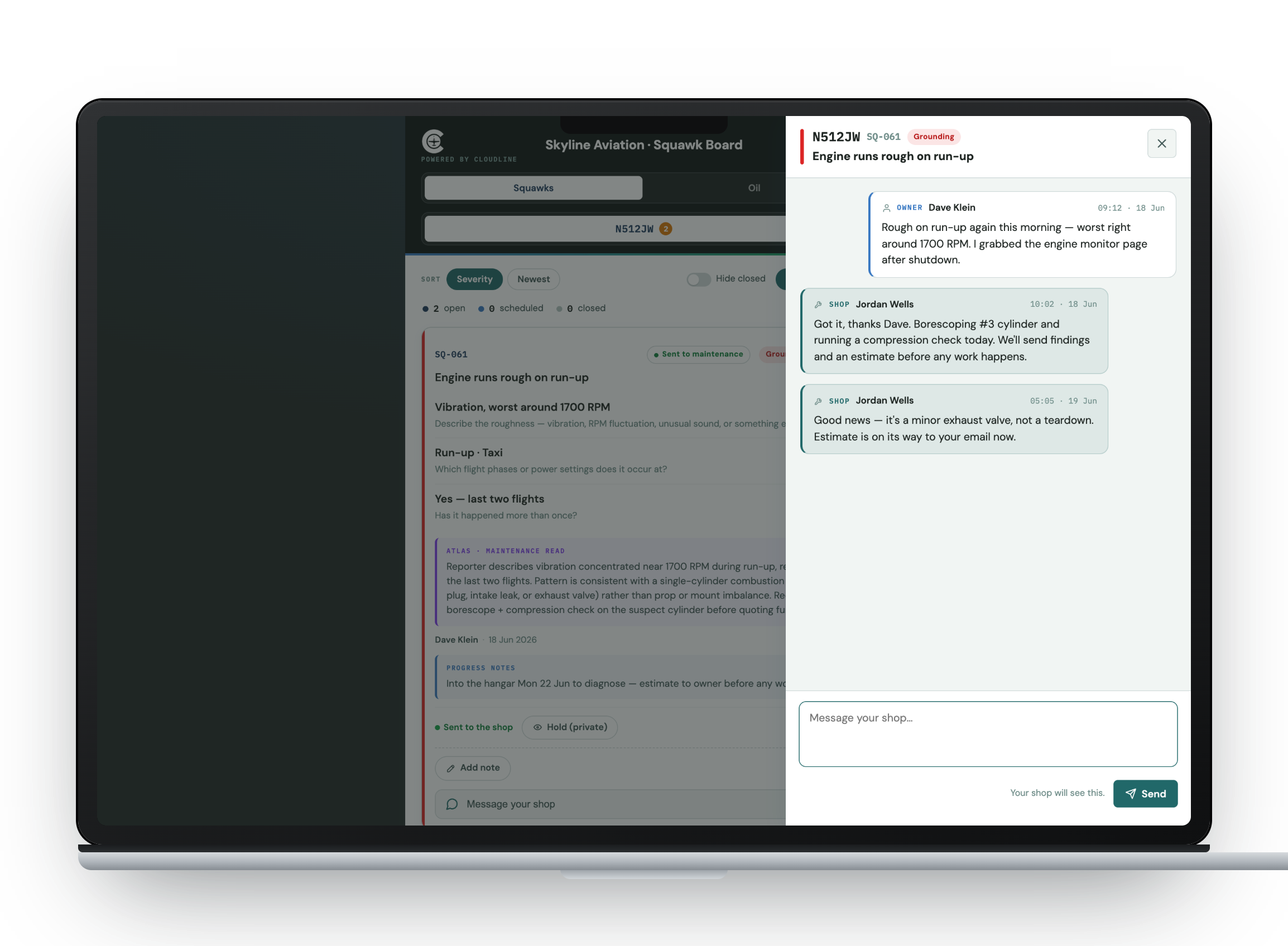
From a single tail to a whole book of business
The squawk starts the same way for everyone. A pilot scans the placard and describes the problem.
Flying clubs
Members file squawks from the ramp instead of texting the maintenance officer. A fleet rail keeps every tail's status in one searchable view, and oil tracking replaces the clipboard.
Flight schools
Students and instructors report issues the moment they find them, and there's nothing new to teach or install. Maintenance gets a structured squawk rather than a vague hallway report.
Aircraft owners
Keep a placard in your cockpit and file a clean squawk in two minutes. Message your shop in the thread, and your view stays limited to your own aircraft.
Maintenance shops
Give every customer a private view and run intake for your whole book from one board. Structured cards arrive by email, or in Slack or Zenzap once connected, with a thread to talk it through.
Log oil from the same scan
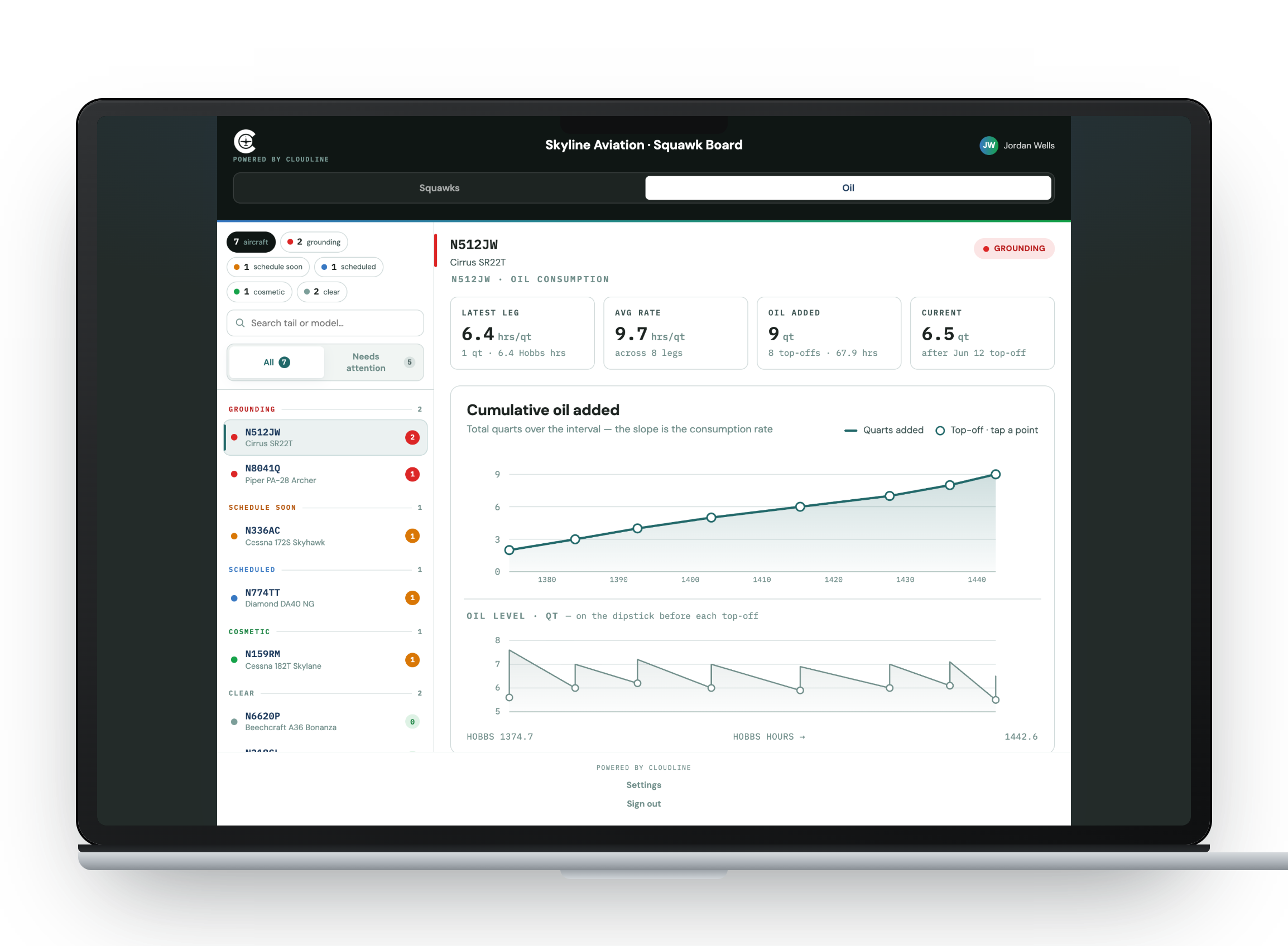
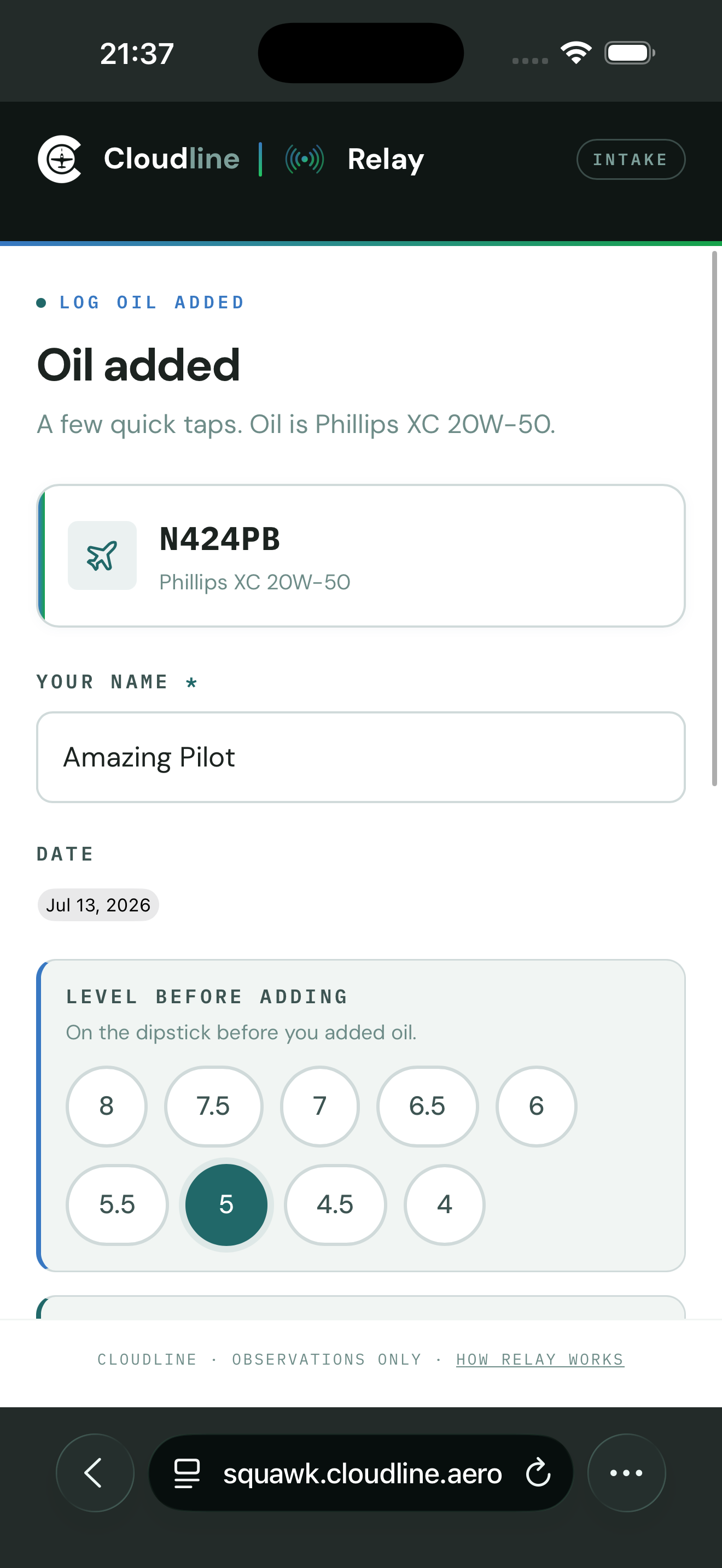
The same placard logs oil. A pilot taps Log oil, then enters the level, the amount added, and the Hobbs. The board charts cumulative quarts against Hobbs so you can see burn rate trending before it becomes a squawk. It takes the place of the spreadsheet and the clipboard.
- Log level, amount added, and Hobbs in a few taps
- Per-leg burn rate and a cumulative-quarts-vs-Hobbs trend on the board
- Same QR placard, no separate tool
- Turn it on or off per fleet
Relay is careful where it counts.
You decide what reaches the shop. Nothing leaves your board until a manager reviews it and hits Send to shop. Squawks never auto-forward.
An owner sees only their own aircraft. Another customer’s tail, squawks, and photos stay out of sight.
Internal notes stay internal. Notes your team writes for itself are never shown to the owner.
Intake always works. Pilots can file a squawk even if Atlas is down, and the report still lands on your board.
Clear terms up front. Pilots agree to plain-language terms before they file. Nothing is captured without their consent.
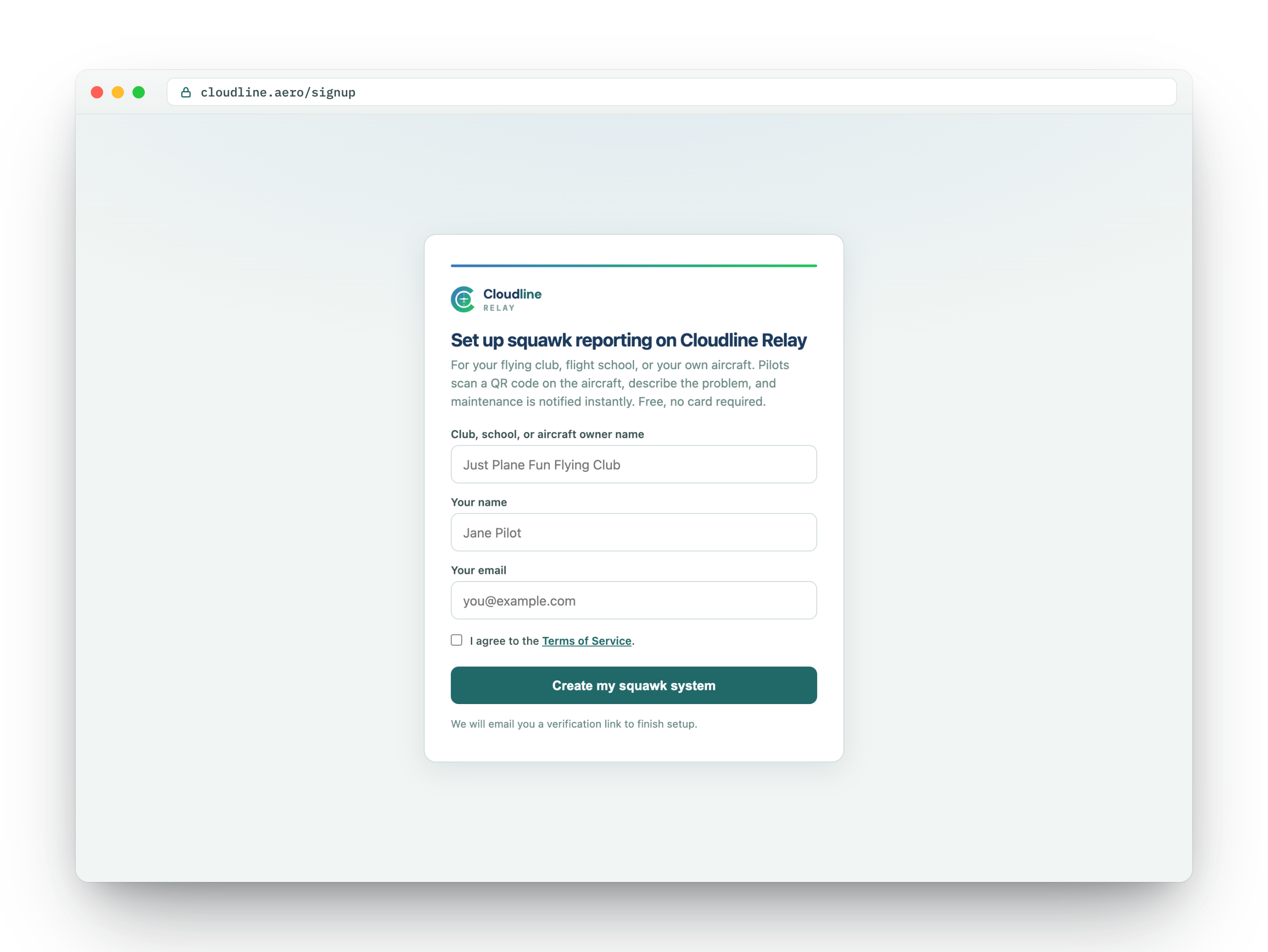
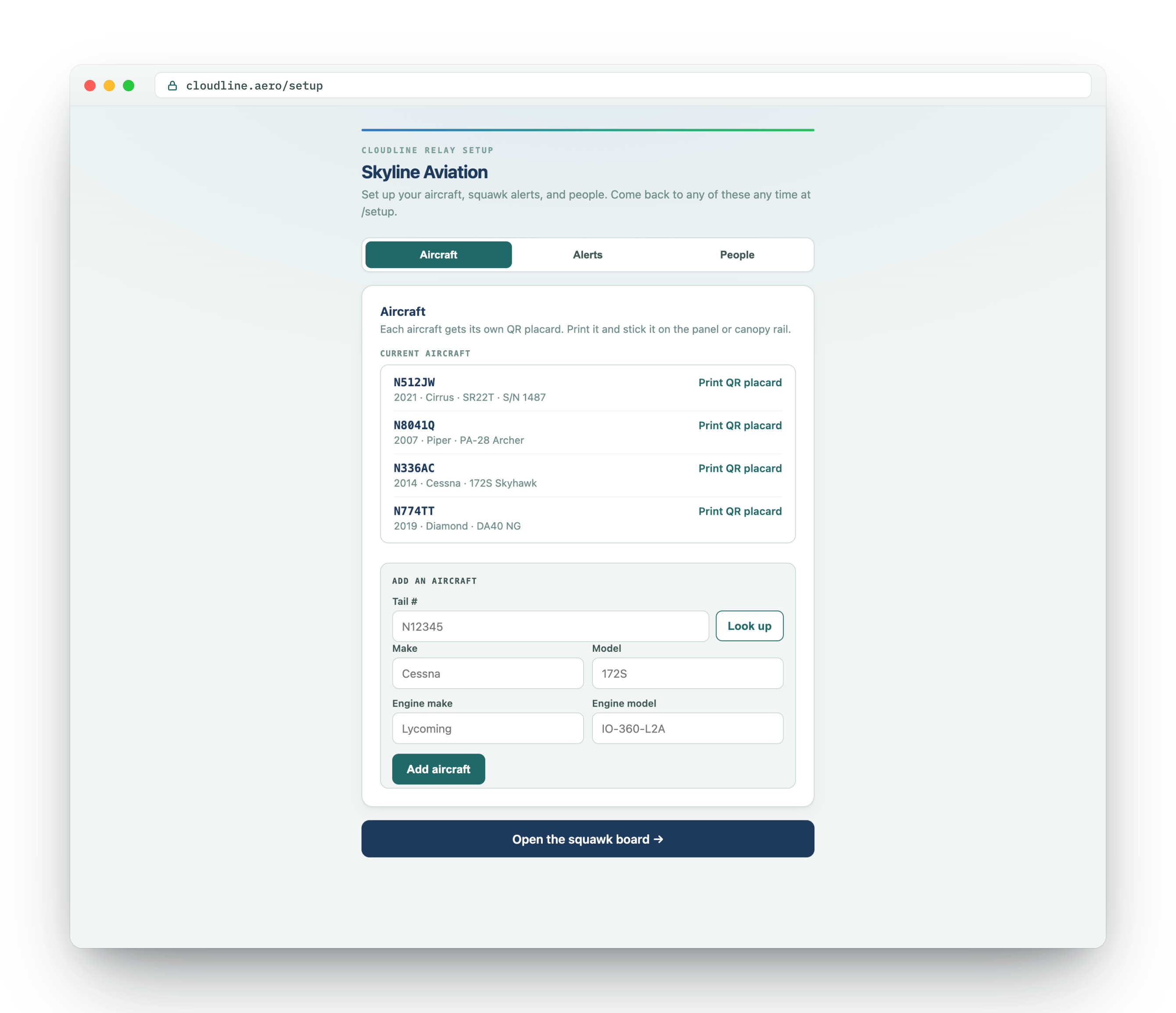
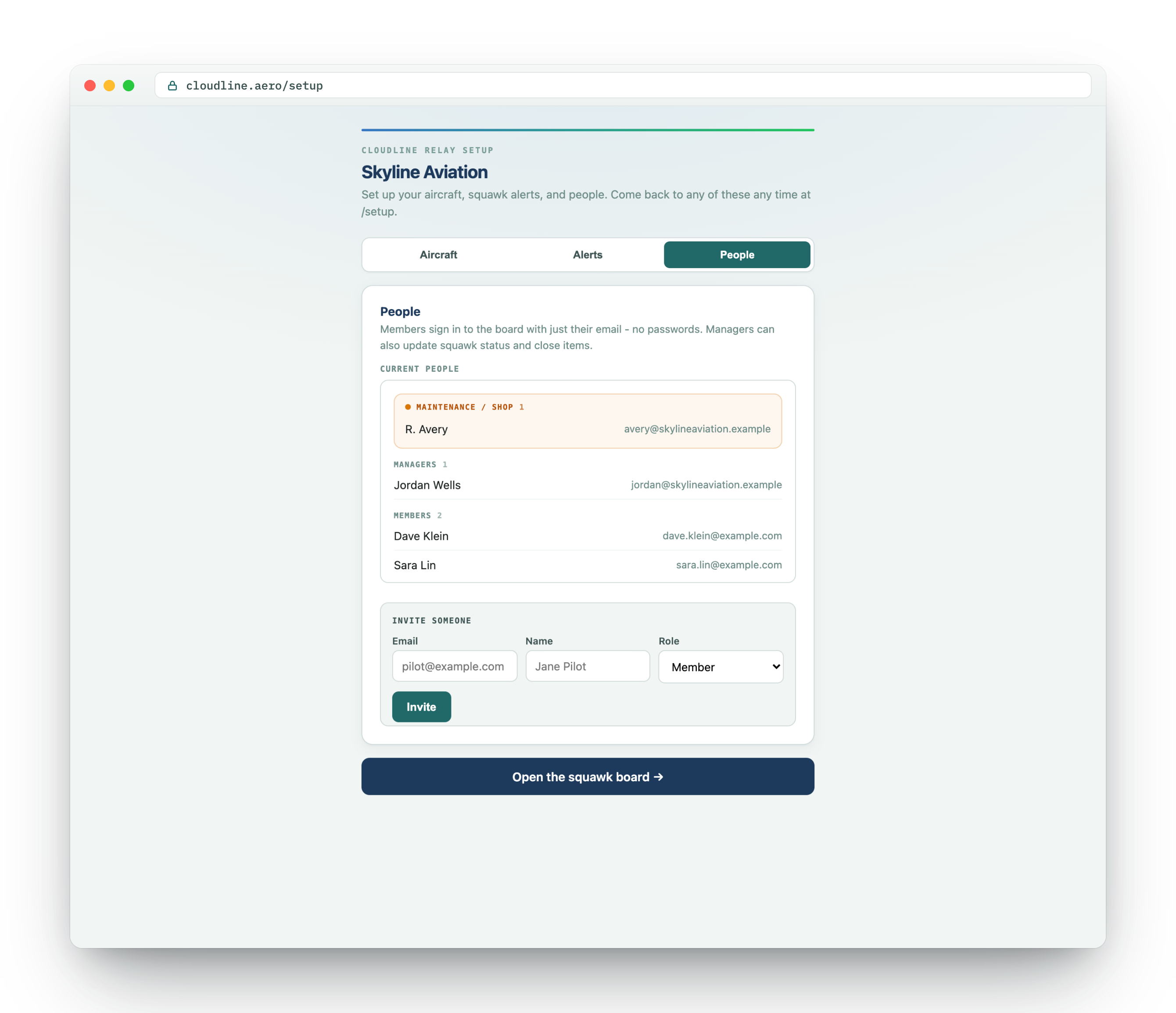
From signup to a printed placard in minutes
Setup is self-serve from start to finish, with no call to book and no setup fee.
Sign up free
Enter your email, verify it, and you're in. Relay Core is free and doesn't ask for a credit card. Clubs, schools, owners, and shops all go through the same signup.
Add your aircraft
Type a tail and FAA lookup prefills the make, model, and engine. Add as many tails as you fly.
Print the placard
Print a per-aircraft QR placard and keep it somewhere handy in the cockpit. That's the whole front door for pilots.
Invite your people
Invite members, mechanics, and managers with passwordless sign-in. They're on the board with one magic link.
Answers before you sign up
Does the pilot have to install an app?
No. Scanning the QR placard opens intake for that tail right in the phone's browser. There's nothing to download or log into.
Does the shop get notified automatically?
No. A squawk lands on your board and stays yours until a manager reviews it and hits Send to shop. Then the shop gets a structured card by email, or in Slack or Zenzap if you’ve connected one.
If I'm a shop, can my customers see each other's aircraft?
No. Each customer gets a private view limited to their own aircraft, and your shop-only internal notes never appear in it.
What happens if Atlas or a notification is down?
Intake keeps working. A pilot can always file a squawk that reaches your board, even if Atlas is down. Nothing waits on it to catch up.
How do people sign in to the board?
Passwordless magic links. We email a one-time sign-in link, so there are no passwords to set or manage.
What does it cost?
Relay Core is free and includes QR and web squawk intake, Atlas follow-ups, the maintenance board, oil tracking, and email or Slack alerts. You don't need a credit card or an app for any of it. Relay Messaging (text-message alerts over SMS) is a paid add-on for maintenance shops. Sign up, add your tails, print a placard, and invite your people.
Put a placard in the cockpit this week
Sign up free, add your aircraft, and print a QR placard per tail. Pilots file squawks from the ramp and Atlas handles the follow-up questions. Your shop gets clean cards only when a manager sends them.
Relay Core is free · no credit card · no app to install